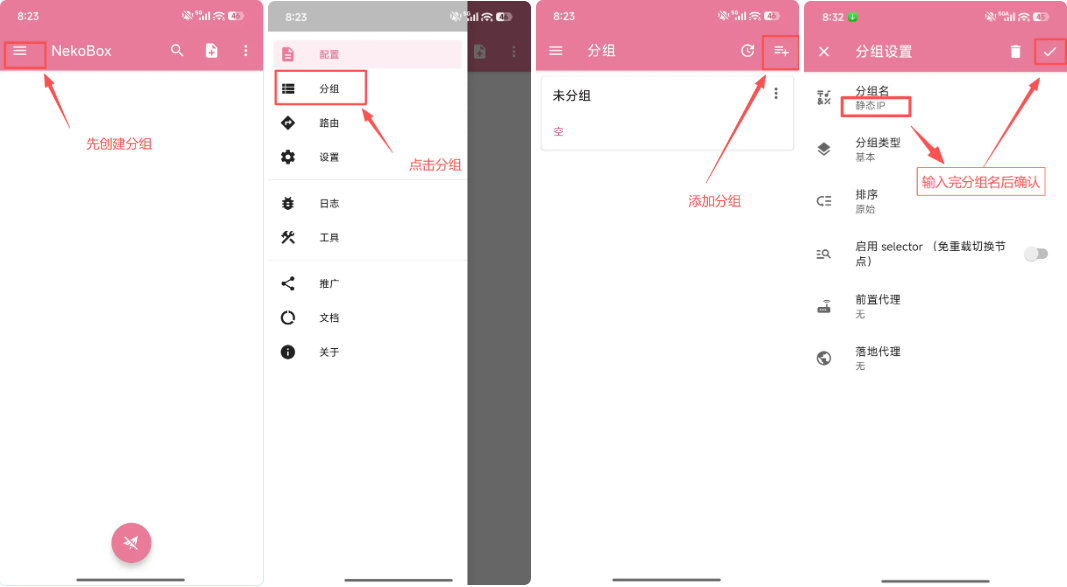
Create a configuration group
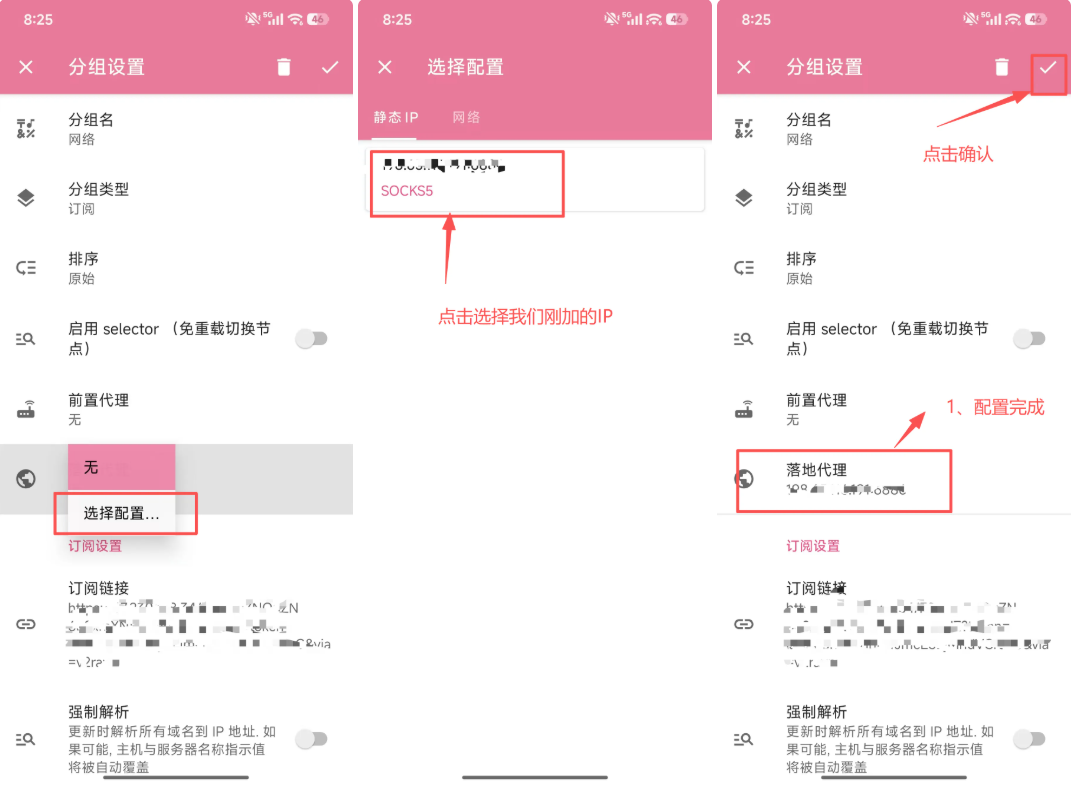
Open NekoBox and create a group named for the region or use case so multiple proxies stay organized.
LETTOOL GUIDE
Set up LetTool proxy on Android
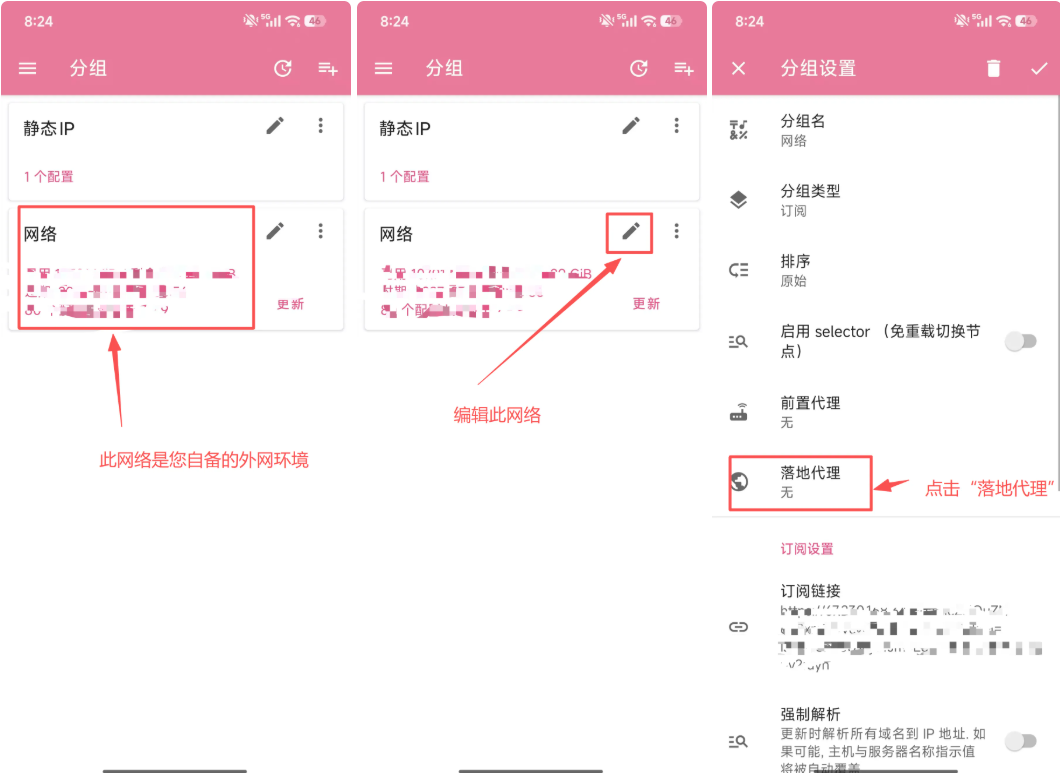
Screenshots help locate entry points and fields. Client versions may change labels, so follow the current app UI when it differs.
Open NekoBox and create a group named for the region or use case so multiple proxies stay organized.
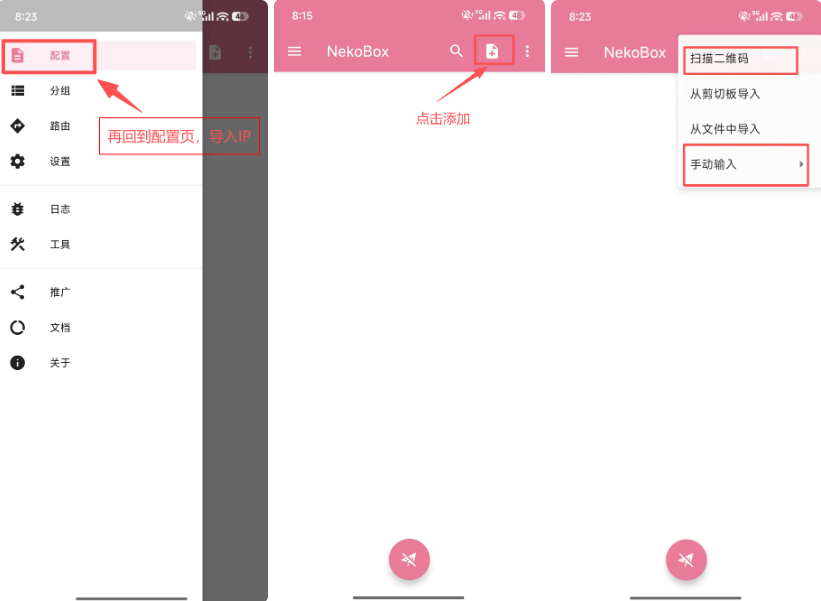
Within the group, add a configuration and open manual entry. Use the method that matches the order.
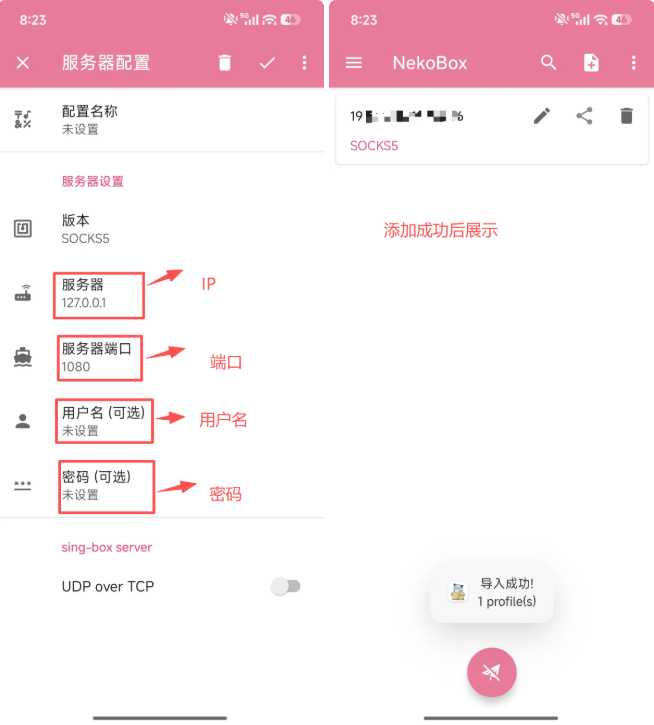
Enter server, port, username, and password for the listed protocol. Do not paste credentials into a subscription URL or mismatched protocol field.
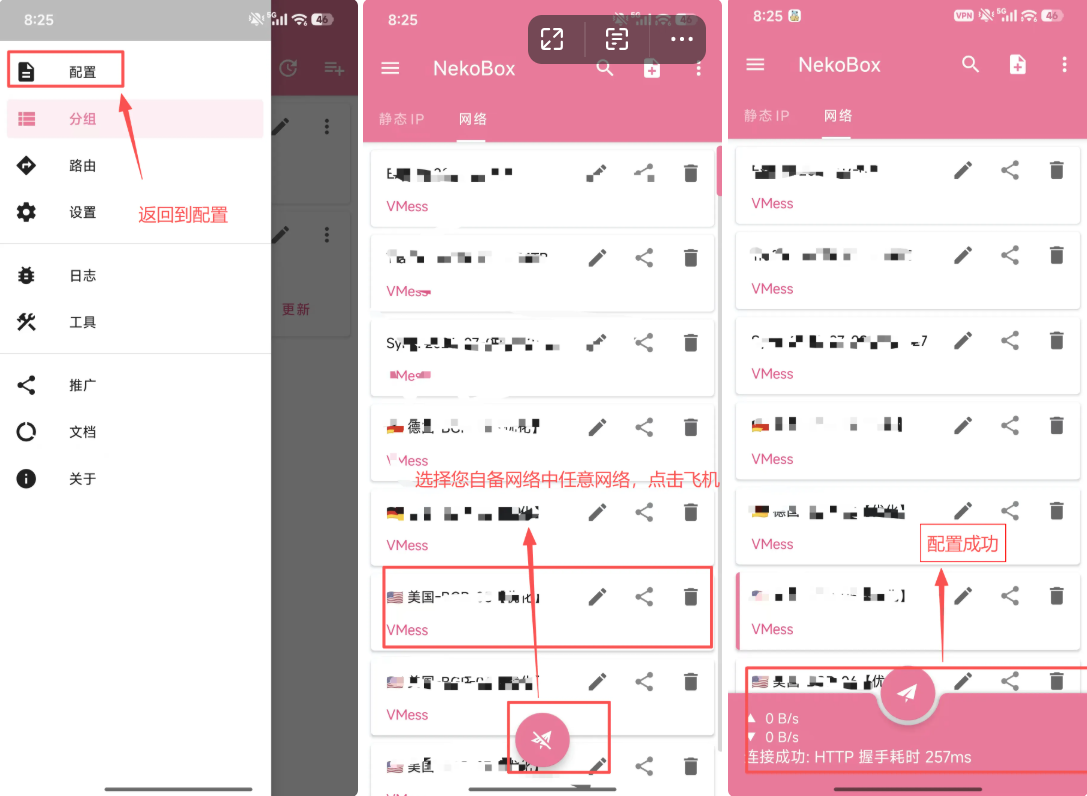
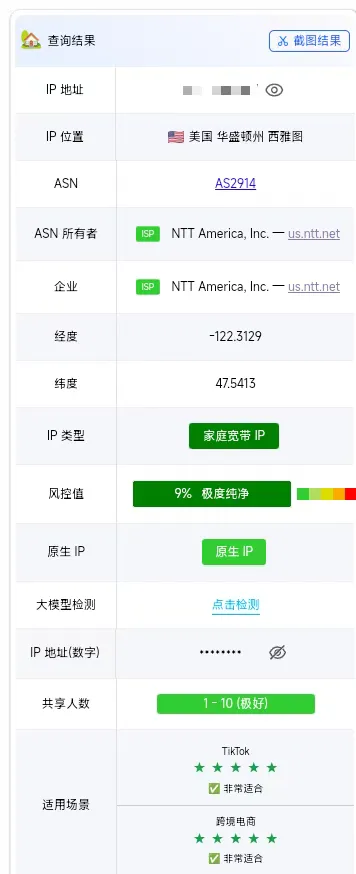
Select the configuration and start the connection. Once the app shows connected, use an IP check page to verify the exit region.